01 Tier 1 · Levels 1–3
Arm. Lift.
Throttle low, arm, then lift straight up. In the first levels the flight controller holds every stick the pilot has not learned yet.
 VERNIQ
/
Recon TR-01
Request a demo
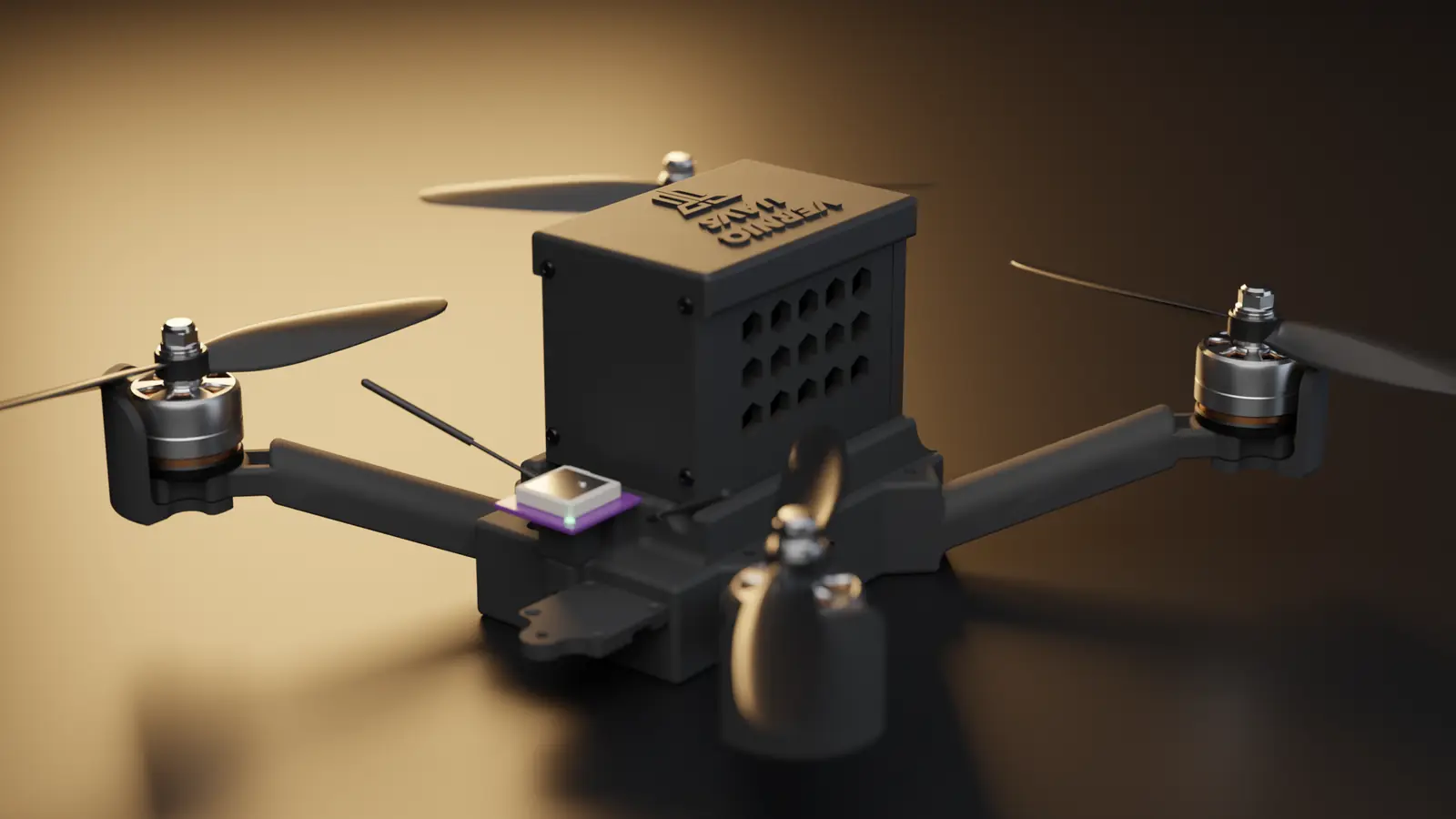
Portable training UAV · with its own simulator
The 900 g, crash-resistant TR-01, 80% made in India, and the Training Suite built around it. Scroll to fly a training sortie on the same course, with the same modes and HUD your pilots learn on.
01 Tier 1 · Levels 1–3
Throttle low, arm, then lift straight up. In the first levels the flight controller holds every stick the pilot has not learned yet.
02 Tier 1 · Level 10
Gates in order, against the clock. Arrows in the air say which way now. The line on the ground shows where the course goes.
03 Tier 2 · Levels 11–17
Path following, position hold in wind, switching modes from memory. Every skill check is a ladder, from LOITER down to ACRO.
04 Tier 3 · Levels 18–22
Waypoints, actions at each stop, a lost link and Return-to-Launch. Then a full autonomous mission, start to finish.
05 Every sortie
Precision landing on the pad. Then the debrief: a ghost replay, a coach that names habits, and a report card.
01 Airframe
A crash-resistant X-frame built for trainees: arms, mounts and battery cradle are one body, and a damaged frame is repairable within 48 hours.
A 5000 mAh pack that snaps in without tools. It sits with the electronics inside a rugged casing, so a crash does not severely damage them. Charging is a barrel jack: plug in and it starts.
Four brushless motors, each behind a wrap-around guard that takes the knocks a training aircraft gets.
From hand to airborne in under 15 seconds. Launch from the palm or from any surface.
02 System specifications
Verified · field-tested
Endurance
23min
MTOW
900g
Max speed
14m/s
Wind tolerance
10m/s
Comm range*
200 m–10 km
Power
Swap·Custom
Flight modes
Manual and autonomous
Failsafe
Emergency RTL
Navigation
GPS assisted
Indigenous
80% BOM
Frame repair
48h
Casing
Rugged, crash-protected
* Range depends on the radio link fitted. Contact us for prices and configurations.
Built for the knocks of training. A damaged frame is repairable within 48 hours.
Electronics and battery sit inside a rugged case: no severe damage to them in a crash.
Plug in the barrel jack, charging begins. Short ground time between sorties.
Snap the pack in, take off. Continuous training without a tool kit.
80% of the bill of materials is made in India. Fewer supply-chain dependencies.
Waypoints, Return-to-Launch and failsafes, GPS-assisted. Mission Planner compatible.
03 The simulator
The Verniquavs Training Suite is one desktop app with two products. The Simulation Suite trains the hands. The Real Suite flies the physical TR-01. The HUD and the transmitter are the same in both, so the skills carry straight across.
04 Worlds
Every clip here was recorded from the Training Suite itself, flying the TR-01 trainer in its real flight model. Nothing was rendered for marketing.
01 · Lessons
The training ground. Every curriculum level starts on this pad: gates, cones and a grandstand in a wooded valley.
02 · Free flight · sunset
Missions and free flight over a container port, a town and open country.
03 · Technical
A stadium with gates on the pitch. Tight lines, walls close by, nowhere to drift.
04 · Terrain
Open hillside, timber and water. Long lines over ground that rises and falls.
05 · Low level
Blossom trees, fences and obstacles at low height. Precision over speed.
06 · Airfield
Launch out of the hangar at the plains airfield, past the cranes and the cargo yard.
05 How you will train
The Tier 1 capstone: six gates against the clock. This is the Training Suite's own screen, recorded while the TR-01 trainer flew the course. Point at the numbers to see what each part of the screen does.
06 The mode ladder
From level 7 on, every skill check is a ladder. Fly it assisted first, then come back down the rungs. A run counts at the easiest mode you actually used, so dropping into LOITER halfway makes it a LOITER attempt.
Aircraft does
Holds position and height. Centred sticks park it in space.
You do
Decide where to go and when.
autopilot pilot
07 Fly it here
The training ground from the flight above, now under your sticks. Arm on the pad and take the TR-01 through the three gates. Mode 2, the same keys as the desktop app, and a USB gamepad works too.
Flight demo
| WS | Throttle | ↑↓ | Pitch |
| AD | Yaw | ←→ | Roll |
| Space | Arm | R | Reset |
| 1234 | ALTHOLD · STABILIZE · ACRO · LOITER | ||
| C | Chase / FPV camera | ||
The desktop simulator runs a 240 Hz rigid-body model with motor lag, wind and failure injection. This demo is a simplified version so it can load in a page.
08 Curriculum
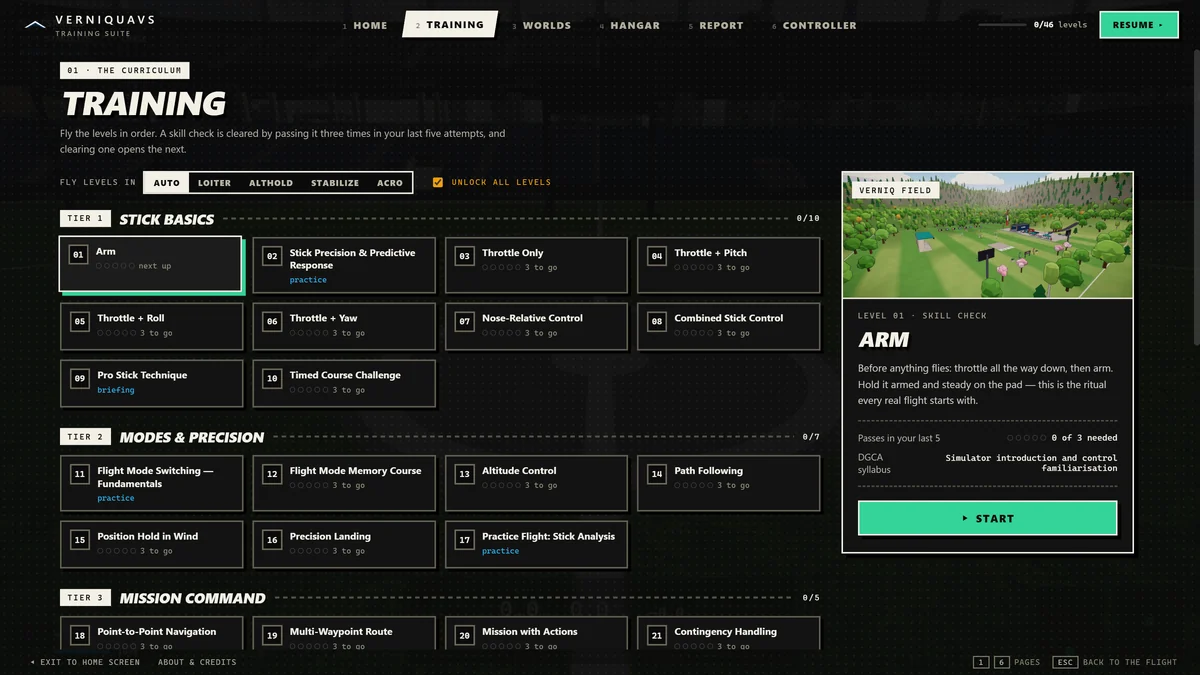
Tier 1 teaches one stick at a time while the flight controller holds the rest. Tier 2 builds flight-mode fluency. Tier 3 is mission work, through to a full autonomous mission. A lucky pass does not unlock the next level; consistency does.
09 Inside the suite
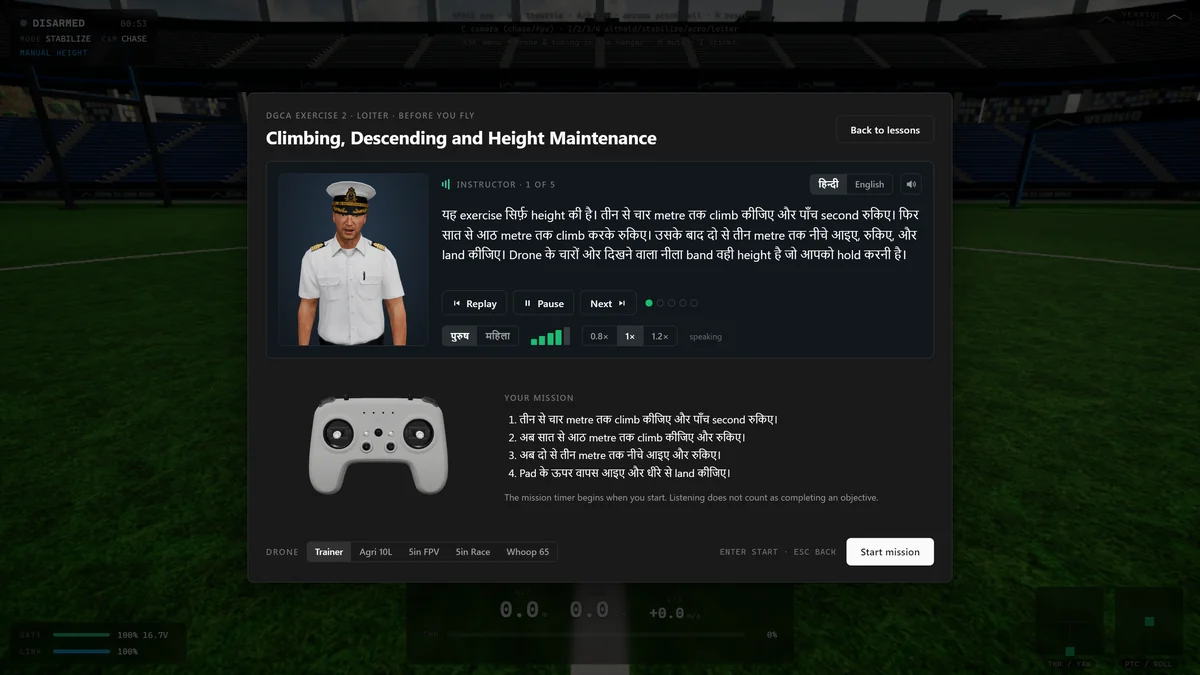
Each exercise opens with a spoken briefing and the stick moves it needs. Pre-flight and hover, circuits, figure of 8, approach and go-around, RTL and radio failsafe, night flying.
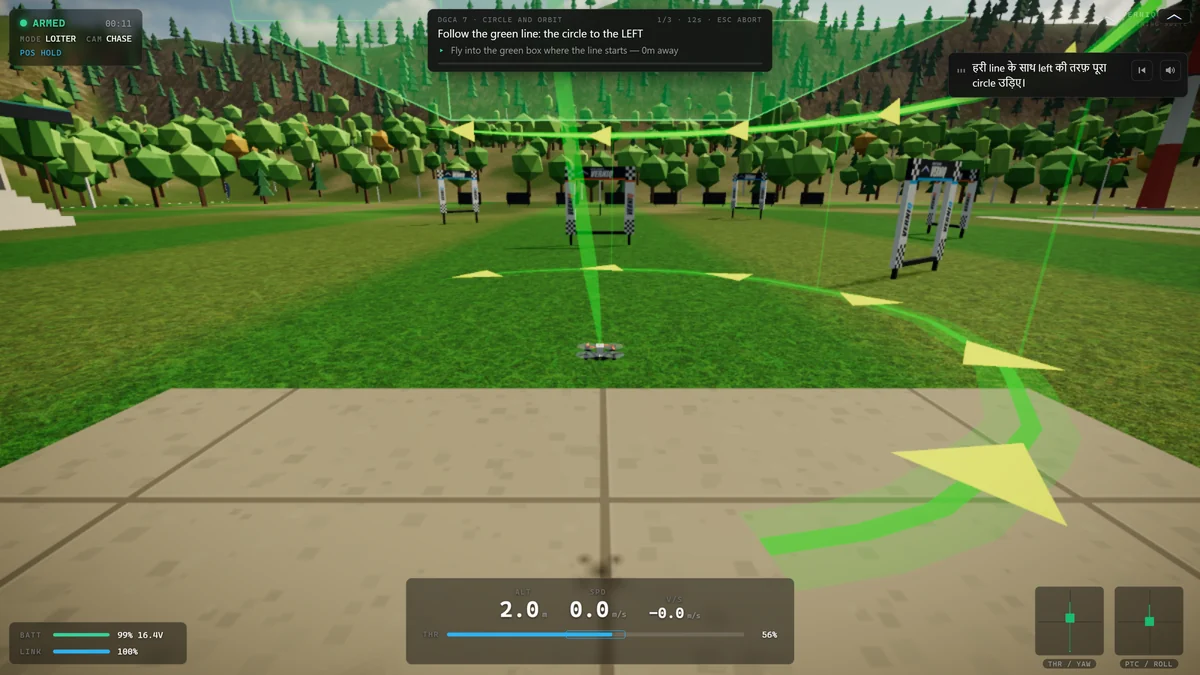
Arrows in the air say which way now. A line on the ground shows where the course goes. The gap between them is the height you need.
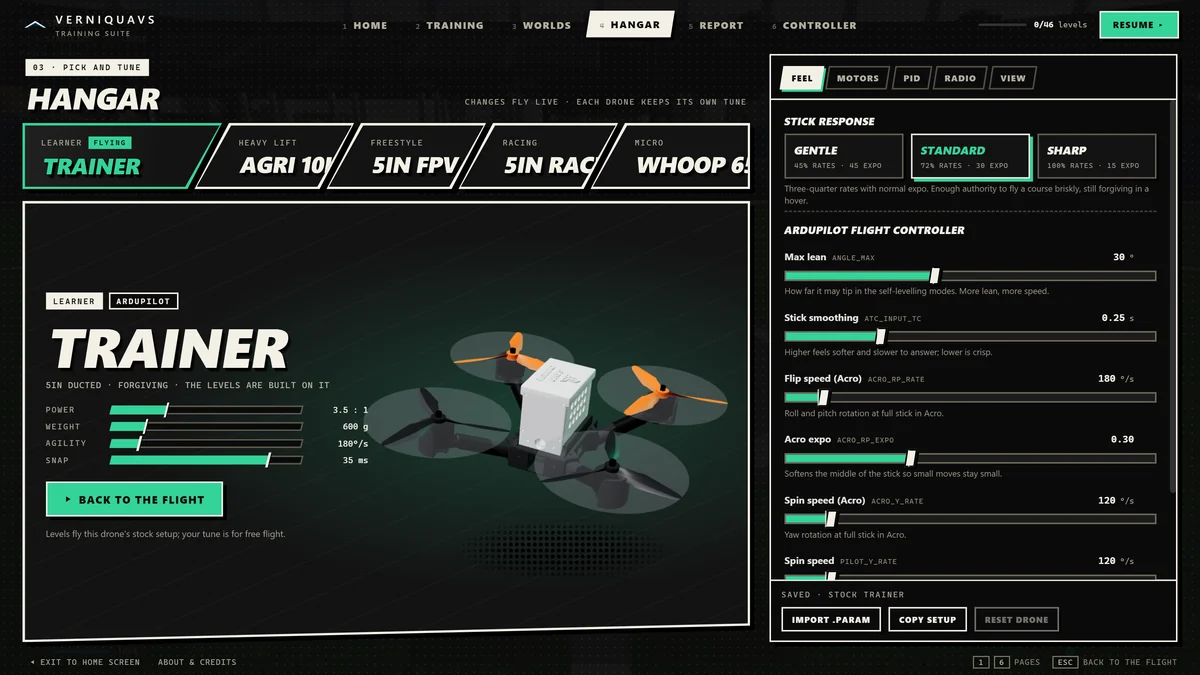
Fly the trainer or four other airframes. Tune feel, motors and PIDs live, or import an ArduPilot .param file.
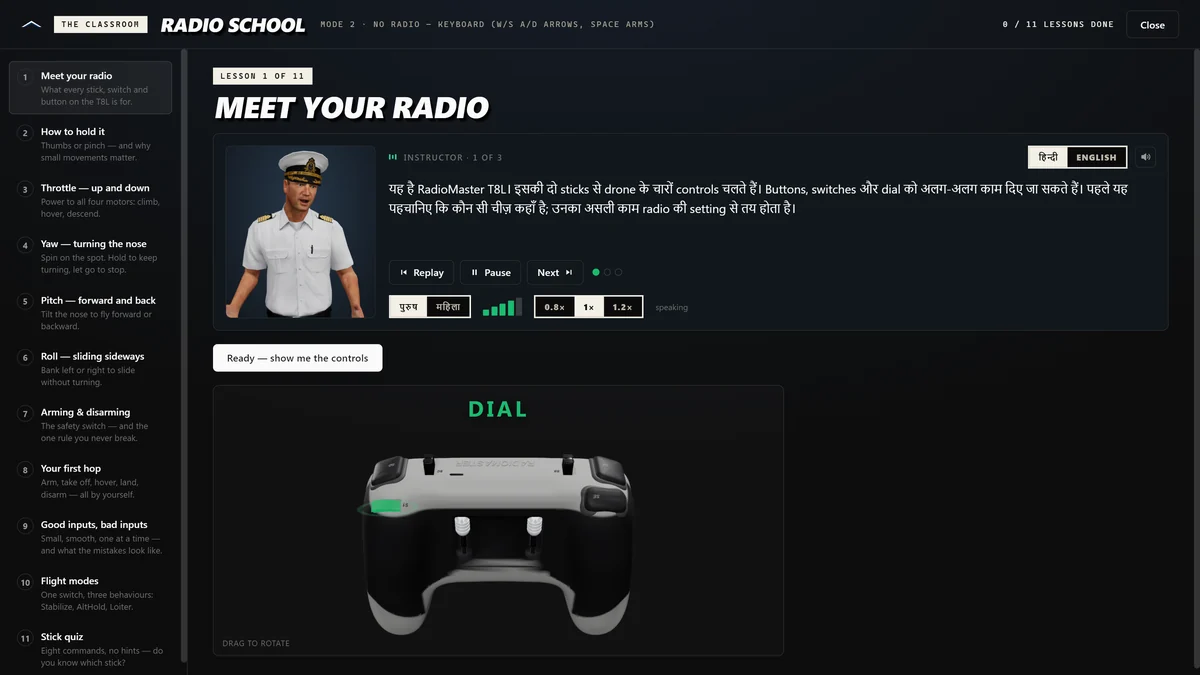
Meet the transmitter before the aircraft: how to hold it, each stick, arming. Plug in a real radio over USB and calibrate it in a wizard.
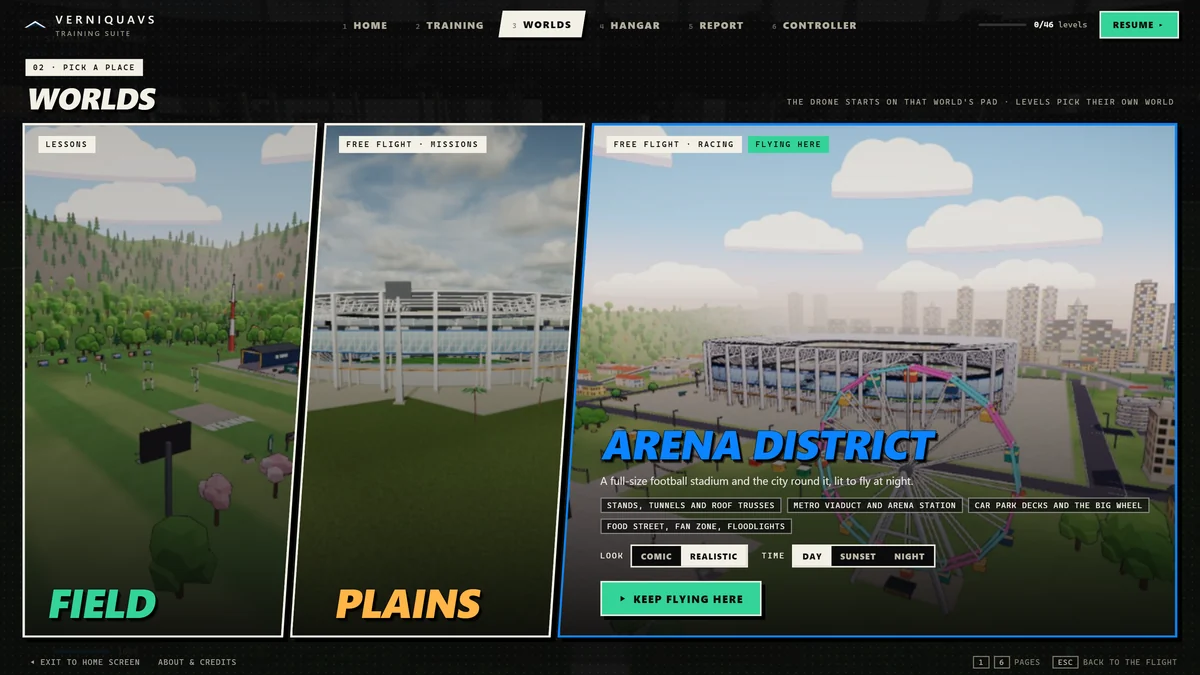
A training field for the lessons, open plains for free flight, and a stadium arena.
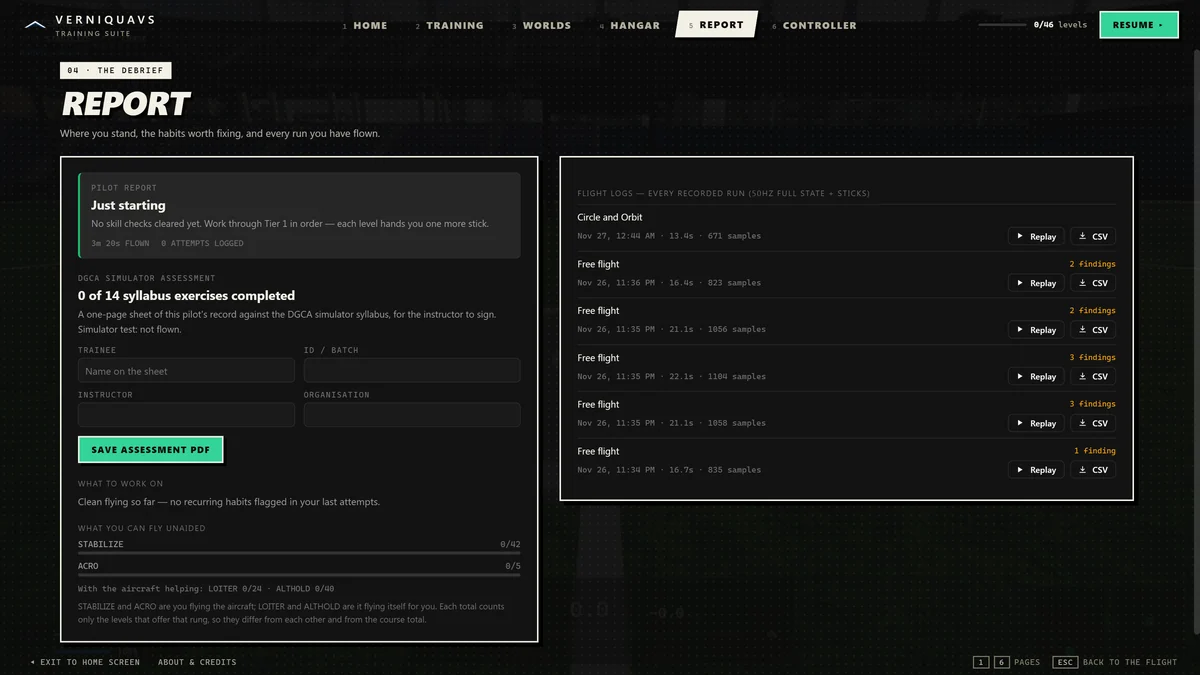
Every run is recorded. Ghost replays, a coach that names habits, and fault detectors that stay quiet unless they are sure. Export an assessment PDF for the instructor.
10 Real Suite
The Real Suite is the flight deck for the physical TR-01. MAVLink telemetry comes in over USB serial or UDP, analog video through a UVC capture dongle, and both land on the HUD the pilot trained with.
11 Train a unit
Aircraft, simulator seats and instructor training. Tell us how many pilots you need to train and we will send prices and configurations.